
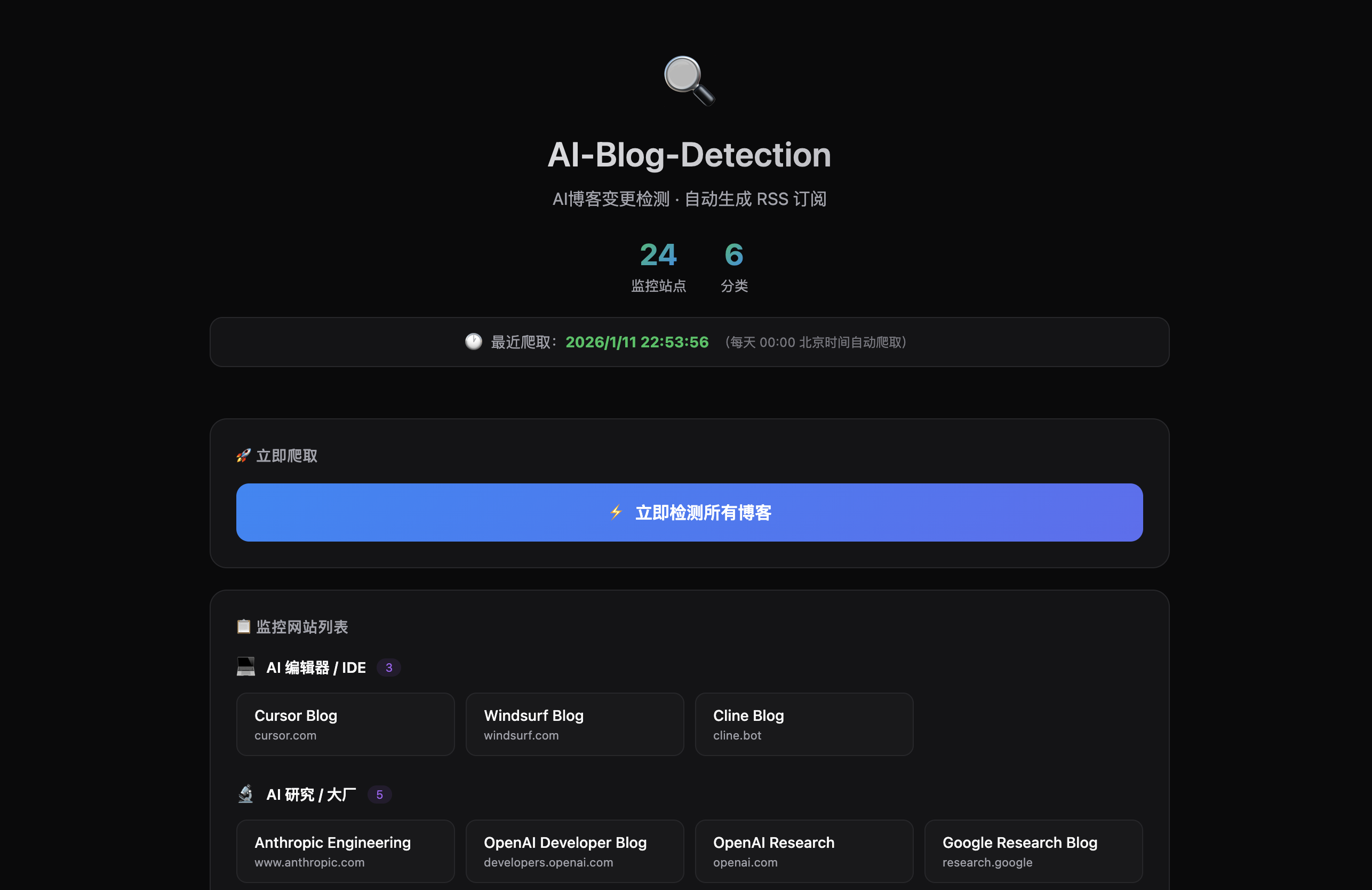
AI-Blog-Detection 🔍
AI博客变更检测工具 - 自动监控AI相关博客内容变化并生成 RSS 订阅
✨ 功能特性
- 📡 定时检测:通过 Vercel Cron 每天自动检测博客变更
- 🎯 精准提取:支持 XPath 和 CSS 选择器精确提取监控内容
- 🔗 文章链接:支持提取文章URL和标题,RSS中包含直达链接
- 📰 RSS 订阅:自动生成 RSS/Atom/JSON Feed,支持各种 RSS 阅读器
- 💾 状态持久化:使用 Supabase PostgreSQL 存储历史状态
- 🔔 变更记录:保留最近 100 条变更历史
📋 监控网站列表
AI 编辑器 / IDE
| 网站 | 描述 | 链接 |
|---|---|---|
| Cursor Blog | Cursor AI 编辑器官方博客 | cursor.com |
| Windsurf Blog | Windsurf (Cognition) 博客 | windsurf.com |
| Cline Blog | Cline AI 助手博客 | cline.bot |
AI 研究 / 大厂
| 网站 | 描述 | 链接 |
|---|---|---|
| Anthropic Engineering | Anthropic 工程博客 | anthropic.com |
| OpenAI Developer Blog | OpenAI 开发者博客 | developers.openai.com |
| OpenAI Research | OpenAI 研究文章 | openai.com |
| Google Research Blog | Google 研究博客 | research.google |
| Microsoft AI News | 微软 AI 新闻 | news.microsoft.com |
LLM 框架 / Agent
| 网站 | 描述 | 链接 |
|---|---|---|
| LangChain Blog | LangChain 官方博客 | blog.langchain.com |
| LlamaIndex Blog | LlamaIndex 官方博客 | llamaindex.ai |
| CrewAI Blog | CrewAI 多智能体框架博客 | crewai.com |
| MCP Blog | Model Context Protocol 博客 | modelcontextprotocol.io |
| Letta Blog | Letta (MemGPT) 博客 | letta.com |
| Mem0 Blog | Mem0 记忆层博客 | mem0.ai |
AI 开发平台 / Low-Code
| 网站 | 描述 | 链接 |
|---|---|---|
| Dify Blog | Dify LLM 应用开发平台博客 | dify.ai |
| n8n Blog | n8n 自动化工作流博客 | blog.n8n.io |
| Langfuse Blog | Langfuse LLM 可观测性博客 | langfuse.com |
| Langflow Blog | Langflow 低代码 AI 博客 | langflow.org |
RAG / 向量数据库
| 网站 | 描述 | 链接 |
|---|---|---|
| RAGFlow Blog | RAGFlow 开源 RAG 引擎博客 | ragflow.io |
| Weaviate Blog | Weaviate 向量数据库博客 | weaviate.io |
| Milvus Blog | Milvus 向量数据库博客 | milvus.io |
| Qdrant Blog | Qdrant 向量数据库博客 | qdrant.tech |
其他 AI 产品
| 网站 | 描述 | 链接 |
|---|---|---|
| Lovart Blog | Lovart AI 设计博客 | lovart.ai |
| Manus Blog | Manus AI 博客 | manus.im |
🚀 快速开始
1. 部署到 Vercel
进入仓库克隆并部署
2. 配置 Supabase 存储
- 在 Vercel 控制台进入你的项目
- 点击 Storage → Create Database → 选择 Supabase
- 按照提示完成 Supabase 配置
- Vercel 会自动设置所需的环境变量
3. 初始化数据库表
在 Supabase 控制台中:
- 进入你的项目 → SQL Editor
- 运行
supabase/init.sql中的 SQL 脚本创建表
4. 订阅 RSS
部署完成后,访问以下地址订阅:
- RSS 2.0:
https://your-domain.vercel.app/api/rss - Atom:
https://your-domain.vercel.app/api/rss?format=atom - JSON Feed:
https://your-domain.vercel.app/api/rss?format=json - 按站点筛选:
https://your-domain.vercel.app/api/rss?site=cursor-blog
📝 配置说明
添加新网站
编辑 src/config/sites.ts 文件:
export const sitesConfig: SiteConfig[] = [
  {
    id: 'my-site',
    name: '我的博客',
    url: 'https://example.com/blog',
    cssSelector: 'article h2',  // CSS 选择器(推荐)
    articleUrlXPath: '//a[contains(@href, "/blog/")]/@href',
    description: '监控示例博客的最新文章',
    enabled: true,
  },
];配置字段
| 字段 | 类型 | 必填 | 说明 |
|---|---|---|---|
id |
string | ✅ | 唯一标识符 |
name |
string | ✅ | 网站名称(显示在RSS中) |
url |
string | ✅ | 要监控的网页URL |
cssSelector |
string | ⭕ | CSS选择器(推荐) |
xpath |
string | ⭕ | XPath表达式(与cssSelector二选一) |
articleUrlXPath |
string | ❌ | 文章URL的XPath表达式 |
description |
string | ❌ | 描述信息 |
enabled |
boolean | ❌ | 是否启用(默认true) |
🔌 API 端点
| 端点 | 方法 | 说明 |
|---|---|---|
/api/rss |
GET | 获取 RSS 订阅(支持 format、limit、site 参数) |
/api/status |
GET | 查看监控状态 |
/api/trigger |
GET/POST | 手动触发检测 |
/api/cron |
GET | Cron 触发器(自动调用) |
⚙️ 环境变量
| 变量名 | 必填 | 说明 |
|---|---|---|
SUPABASE_URL |
✅ | Supabase 项目 URL |
SUPABASE_SERVICE_ROLE_KEY |
✅ | Supabase Service Role Key |
CRON_SECRET |
❌ | Cron 请求验证密钥 |
📅 Cron 调度
默认每天北京时间 16:00(UTC 08:00)执行一次检测。
修改 vercel.json 来调整调度时间:
{
  "crons": [
    {
      "path": "/api/cron",
      "schedule": "0 8 * * *"
    }
  ]
}🛠️ 本地开发
# 安装依赖
npm install

# 本地测试抓取
npm run test

# 测试特定网站
npm run test:site cursor-blog📄 License
MIT License
评论